-
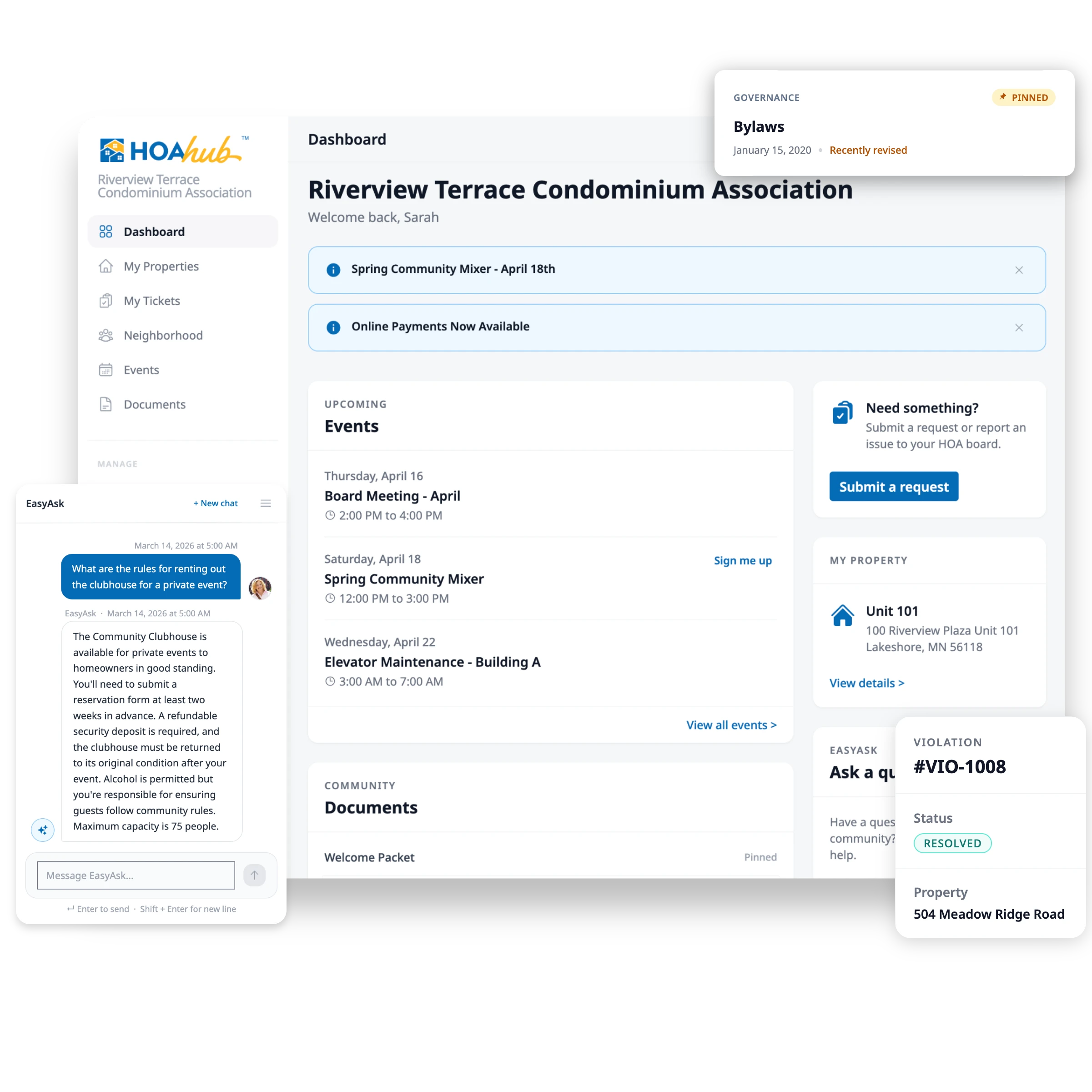
A new homeowner moved in, joined the hub, and found the CC&Rs, pool rules, and trash schedule on their own.
Welcomed without a single email.
-
A resident asked EasyAsk "Can I replace my mailbox?" and got a clear answer from the architectural guidelines.
Handled by EasyAsk in seconds.
-
Two residents submitted requests — every detail filled in, organized and waiting for review.
Ready to review in one click.
-
The social committee posted a block party. 14 residents RSVP'd from their phones. Headcount updated automatically.
Headcount tracked itself.
Consolidate and Simplify Your HOA
HOA management software that replaces email threads, spreadsheets, and group texts with one place for Billing, Documents, Events, Emails, and Website.
on G2From $35/mo. No long-term contracts.
Most HOAs still run on a patchwork of tools
Email threads, a dues spreadsheet, a Google Drive PDF, and a sticky note about the pool key. It's hard to keep track of it all.
With HOA Hub, Your Community Runs Itself
You volunteered to serve on the board, not to make it a second job. Most days, everything is handled before you even open the app.
Save Time With HOA Hub
Billing & Payments
Dues collect themselves.
Residents pay online. Late fees apply on their own. The spreadsheet retires.
See how billing works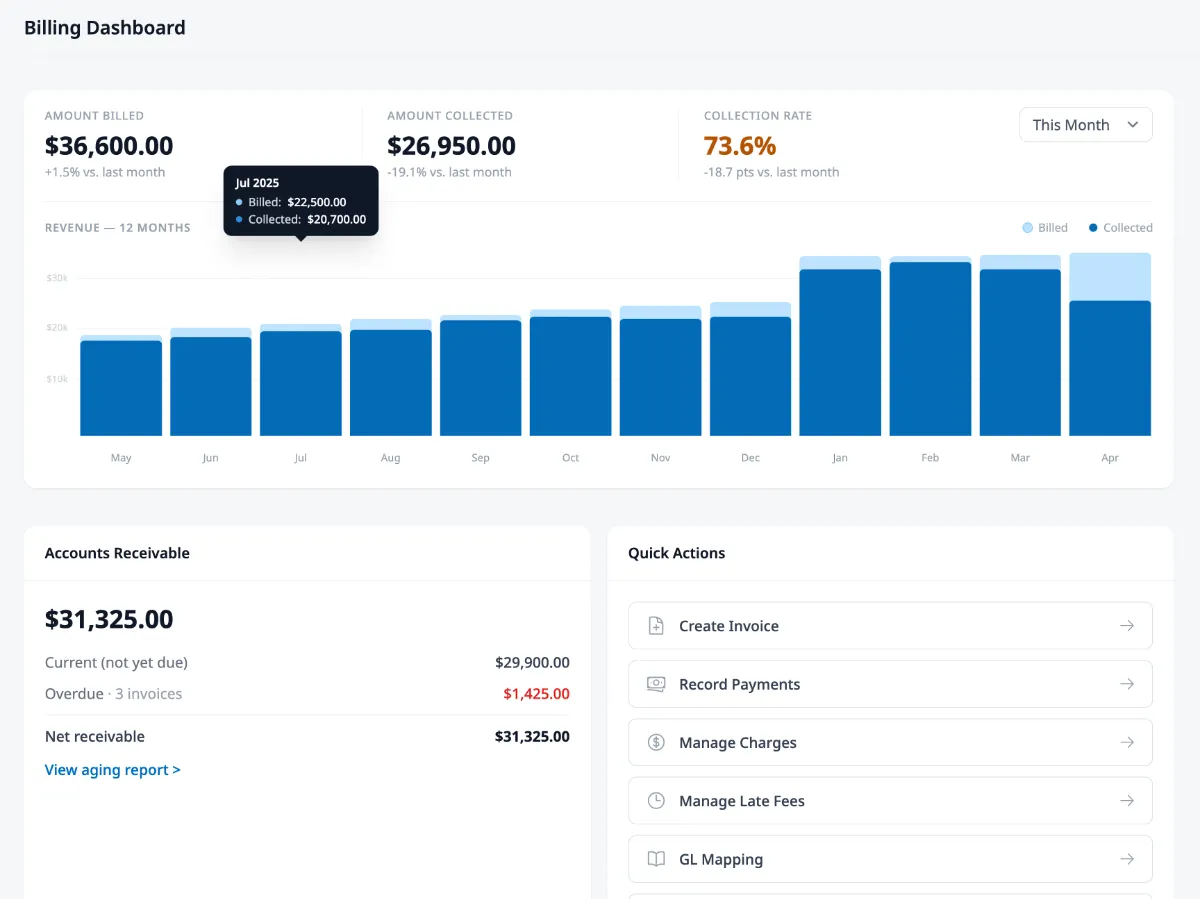
AI document search
Residents ask. Your documents answer.
Upload your documents once. Residents type questions like "Can I replace my mailbox?" and get the right rule back in seconds, with the source cited. The board stops being the search engine.
See EasyAsk in action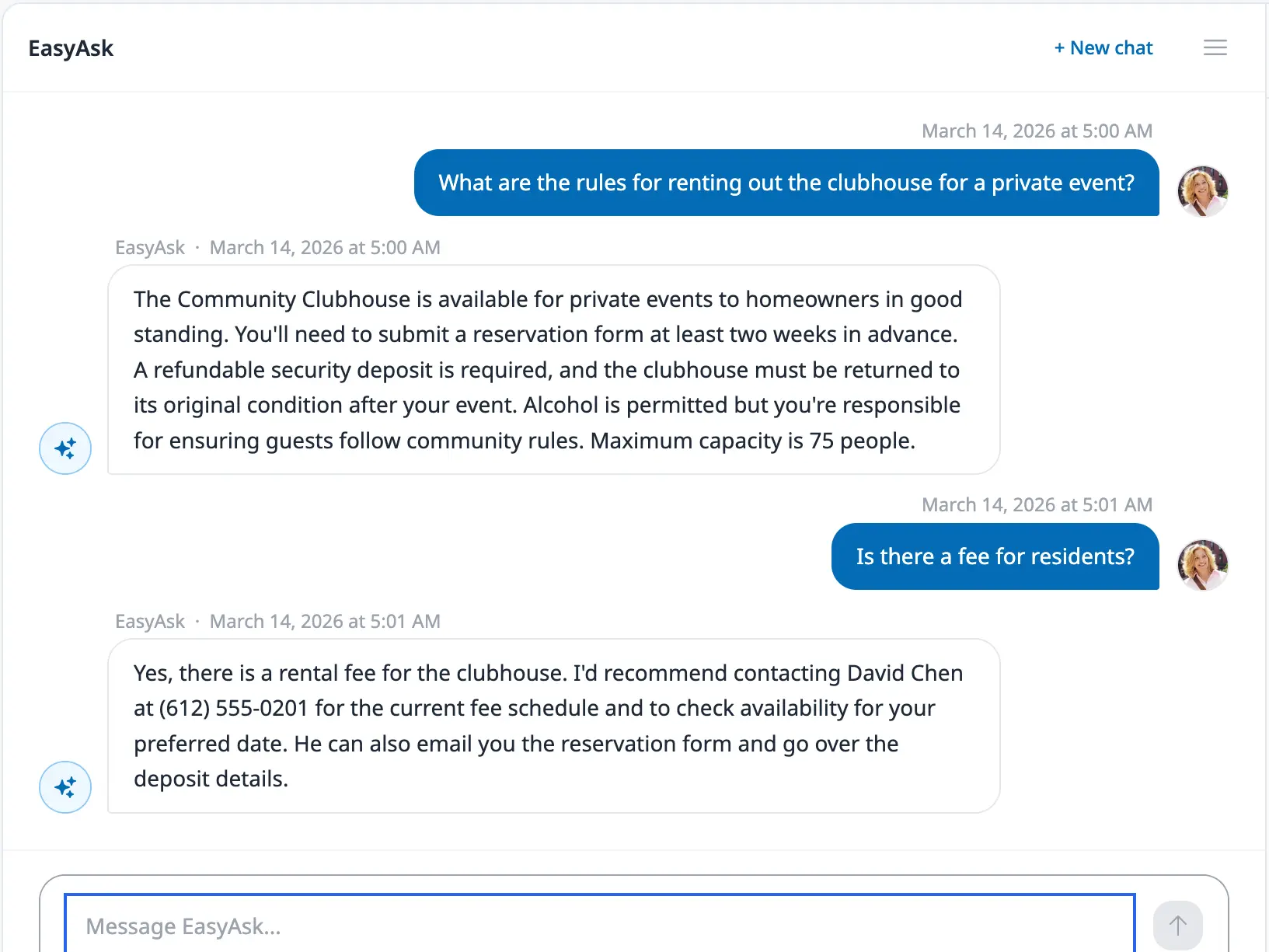
Resident requests
Every request, tracked end to end.
Residents submit requests with the details up front. Every issue tracked from submission to resolution. No more "did anyone reply to Mrs. Jensen?"
See how resident requests work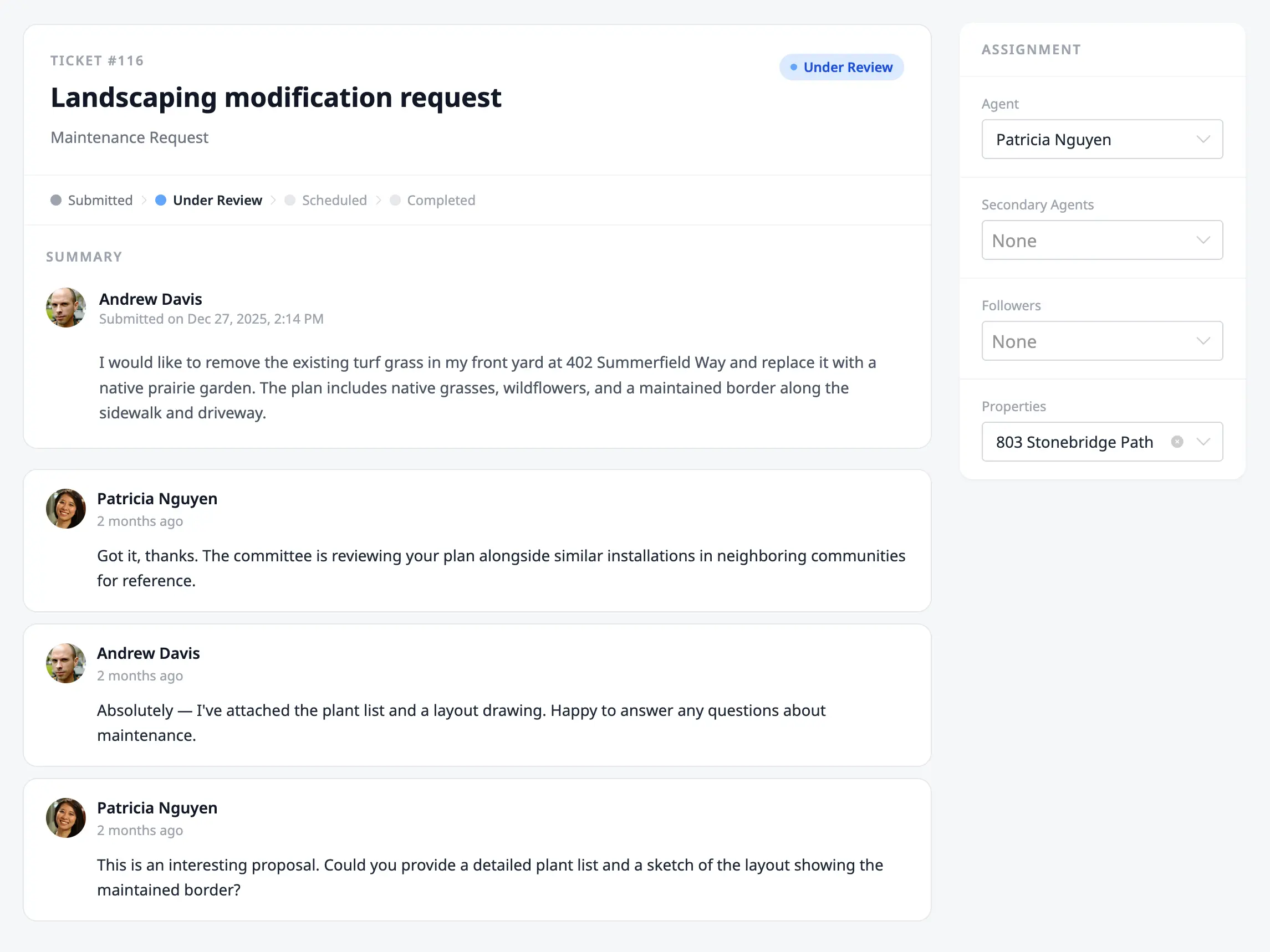
What makes HOA Hub different
HOA Hub Is Built For the Whole Community
We call it HOA Relationship Management — the idea that every feature should serve both the board and the residents. That's the only way a community tool actually gets used.
Built For All Community Associations
Condos
Shared walls, shared amenities, shared decisions. Keep the whole building aligned.
How HOA Hub fits condosTownhomes
Half-shared, half-autonomous. Coordinate upkeep without micromanaging owners.
How HOA Hub fits townhomesSingle-family
Larger communities with more ground to cover. Stay organized at any scale.
How HOA Hub fits single-familySelf-managed
No management company, no problem. Built for volunteer boards running their own community.
How HOA Hub fits self-managedYou Are Supported
Setup day. The first month. Annual meeting. Board transition.
Phone Support
We're only a phone call away.
You get a scheduled setup call when you start. Setup is straightforward, and a real person on the line makes it even easier — imports, dues, first-time decisions, done together. Call anytime after: we're glad to help.
Help, around the clock.
A searchable help center with guides and walkthroughs for every feature. Most boards self-serve in under a minute.
Drop us a note.
Send a question and a real teammate gets back to you with a real answer. Same business day.
A note from our founder

HOA Hub exists to help neighbors live better together. Volunteer boards quietly carry the weight of running their communities and they deserve real tools, not the email threads, spreadsheets, and shared drives most of us have been getting by with. I'm building HOA Hub for every board on that mission, mine included.
Jon Jakoblich
Frequently Asked Questions
Choosing HOA Hub
What is HOA management software?
HOA management software is a platform that helps homeowners associations organize their operations, from dues billing and document storage to resident communication, event planning, violation tracking, and maintenance requests. For self-managed HOAs, it replaces the scattered emails, spreadsheets, and paper processes most volunteer boards rely on, and gives every resident a single place to find answers and stay connected.
How is HOA Hub different from a property management company?
A property management company is an outsourced service that handles operations on your behalf, typically charging hundreds to thousands of dollars per month. HOA Hub is software your board uses directly. You stay in control of decisions, communication, and money, and pay a fraction of management-company fees. Self-managed boards use HOA Hub instead of a management company. Some boards use it alongside one to keep residents informed.
How much does HOA Hub cost?
HOA Hub starts at $35 per month for communities up to 25 units on annual billing, with all features included on every plan. There are no add-ons, no per-user fees, and no surprise charges. Pay monthly or save 10% by paying annually.
Is there a long-term contract?
No. Pay monthly with no long-term commitment, or save 10% by paying annually. You can cancel anytime from your account settings, and your community keeps full access through the end of your billing period. There are no cancellation penalties.
Using HOA Hub
Can residents use HOA Hub, or is it just for the board?
HOA Hub is built for the entire community. Residents can pay dues online, RSVP to events, search documents with EasyAsk AI, submit requests for architectural reviews and maintenance, and stay informed. That resident-facing experience is what drives adoption.
How long does it take to get set up?
Most communities complete the required setup in under 30 minutes. The required steps are adding a property, adding a contact, and choosing a plan. With a CSV import of your existing properties and contacts, it can take 15 minutes or less.
Can I switch from another HOA platform?
Yes. HOA Hub includes a bulk CSV import for properties, residents, and contacts, so you can move your community over from spreadsheets, Google Drive, or another platform without re-keying everything.
Does HOA Hub integrate with QuickBooks?
Yes. HOA Hub exports financial data in QuickBooks-ready format, plus CSV, OFX, and IIF. Online card and ACH payments are handled by Stripe, with autopay, automatic late fees, payment arrangements, and aging reports built in.
Support & onboarding
What kind of support does HOA Hub offer?
Real humans on phone and email. Reach the team at (651) 213-9010 Monday through Friday, 9am to 5pm CT, or email support@hoahub.app any time. Most email replies arrive the same business day.
Will you help me get my community set up?
Yes. Every new community gets hands-on, founder-led onboarding. The founder personally walks new boards through setup, helps import properties and documents, and answers questions about how to roll the platform out to residents.
What if my board needs help getting residents to adopt HOA Hub?
Adoption is part of the support conversation. The team helps with practical playbooks: sample launch announcements, suggested rollout sequencing, and tips for the moments residents tend to disengage.
Get your nights and weekends back.
Set up your community in an afternoon. No long-term contracts.
From $35/mo. Cancel anytime.